
Mentorship OS: Free Airtable Mentorship Template for Charities
Move beyond spreadsheets with your new mentorship system
Published 4th May 2026
Move beyond spreadsheets with your new mentorship system
Keeping tabs on mentorship programmes is a lot of work - both in terms of connecting the mentees and mentors, but also reporting. This system built with Airtable allows you to keep all your data in one place, and customise it to your own processes.
Get the template: Mentorship OS.
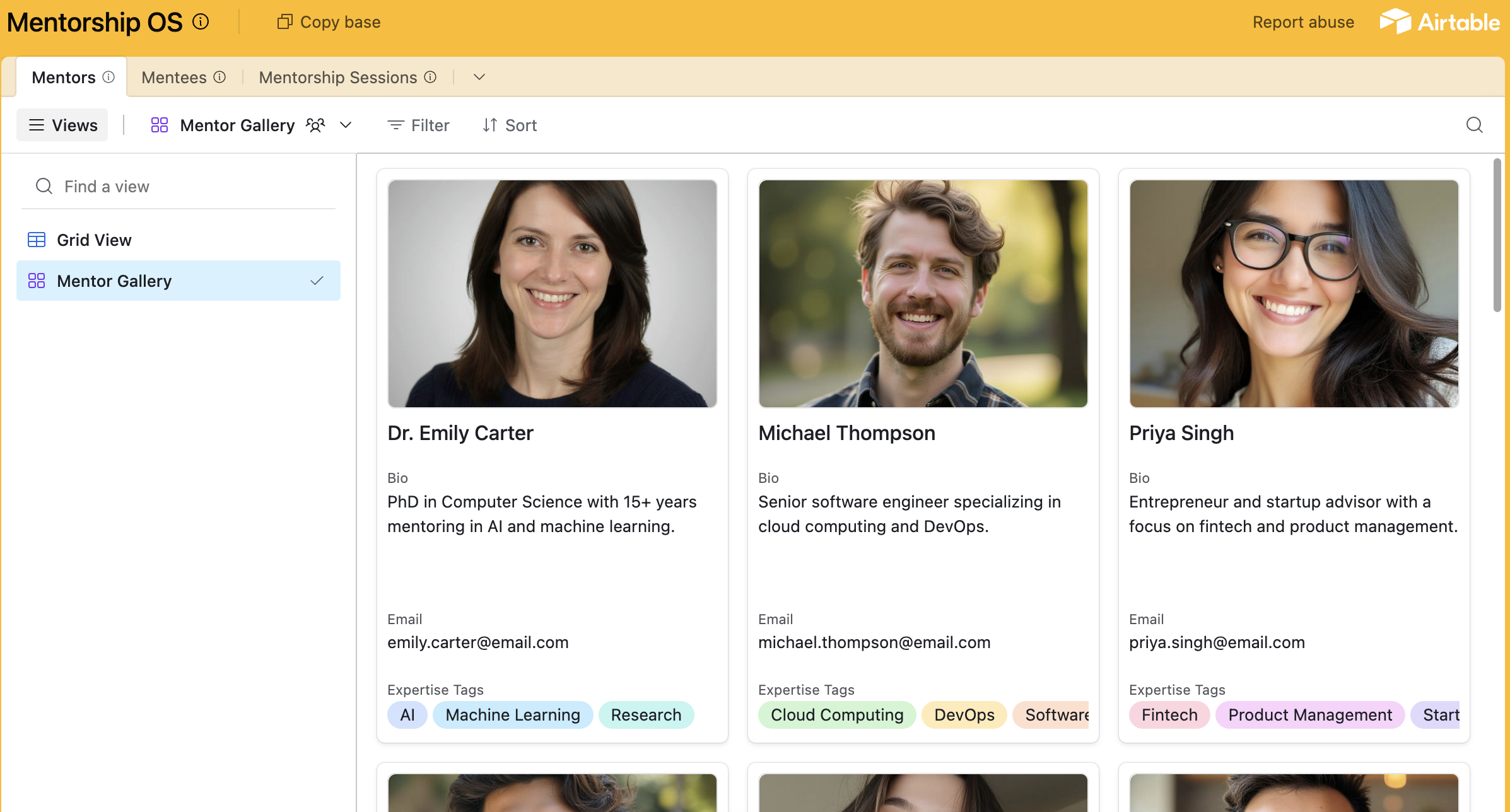
Mentor Gallery

Finding the right mentor for the job can take quite a bit of time, especially if your information about them is scattered in a few locations. The mentor gallery allows you to view all your mentors, tagged by their expertise, and quickly find information like their contact information or booking link (eg Calendly).
Mentee Progress

It’s important to build trust with your mentees, and if one of them falls through the cracks it can have such a detrimental effect on them and your mentorship programme. Keep tabs on how they are progressing with our simple kanban board.
Session Tracking Calendar

It’s so important to keep good notes about how many sessions you’ve had. It’s vital for the mentors, so they know how much support they’ve provided. But of course it’s also needed as an audit log (eg for funders / boards). The calendar view allows to you see at a glance when session happened and with whom. It also creates a safeguarding audit trail, which is vital for any organisation.
Matching with Expertise Tagging

This template allows you to full customise your mentors’ tags, to make sure that it fits around the type of mentorship you deliver. For instance, you could tag a mentor as having expertise in “Grant Writing”, “Gift Aid Compliance”, “UX Design”, etc.
How to use the template
In order to use this Airtable template, simple click the link, and click “Copy base” at the top of the screen. If you don’t have an Airtable account, you’ll be prompted to set one up.
Now you can customise the Airtable base to fit your own mentorship programme.
Why not start by
1. Adding your own mentor tags in, instead of the placeholder ones.
2. Adding a few of your mentors’ details in.
3. Create an automation to send an email when you create a session in the calendar view
Running a programme that is growing?
Airtable is great to launch your mentorship programme, but as you grow you may find you want to add a little bit of extra sauce to it. Things like allowing mentors to update their own profiles, or allowing mentees to book directly with the mentors. Menteasy handles that - get in touch when you’re ready.